

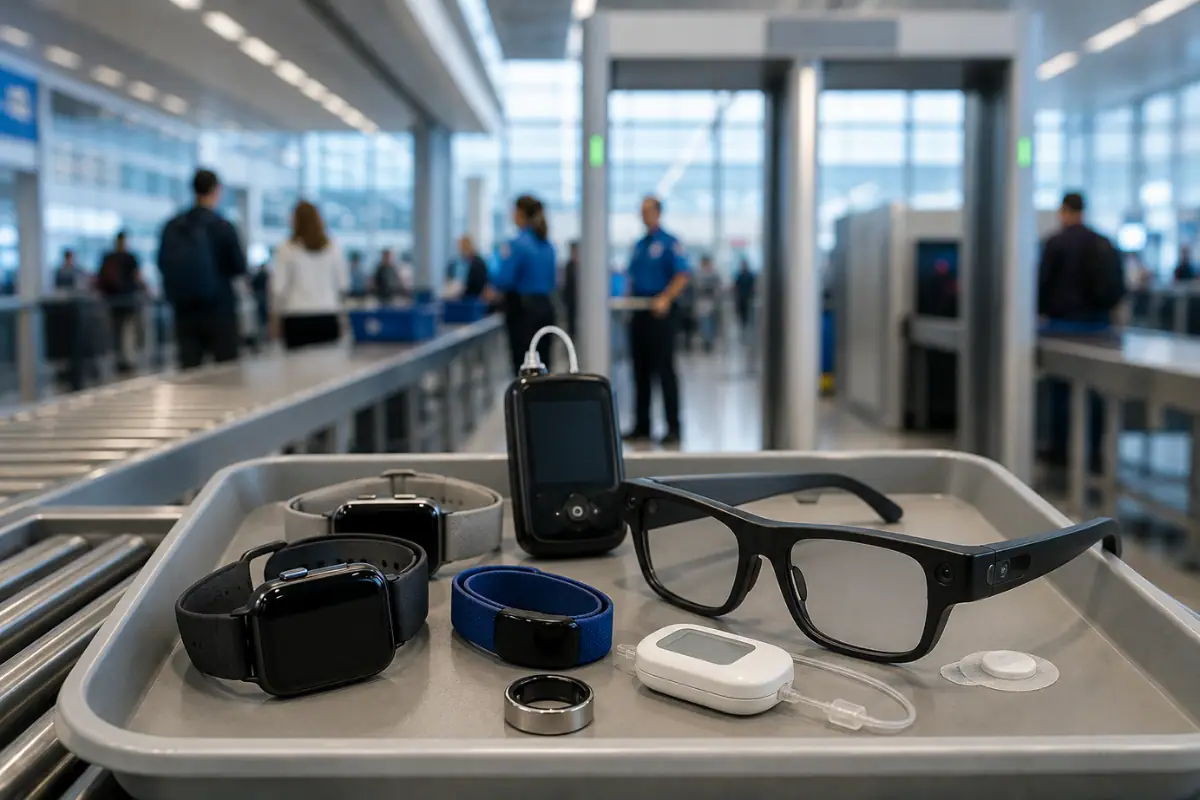
Picture this: you’re rushing through airport security when a TSA agent pulls you aside — not because of anything in your bag, but because of the device on your wrist.
It’s happening more and more in 2026.
Between updated TSA screening guidance, tightening airline enforcement around lithium battery safety, and a wave of new CT scanners rolling out at major U.S. airports, the landscape around wearable devices has quietly shifted. And very few travelers have gotten the memo.
Whether you’re wearing an Apple Watch, a Continuous Glucose Monitor, a Fitbit, or a smart ring you barely think about, what you don’t know can delay you, damage your device, or, in some cases, affect your health.
Quick Answer: You can wear most smartwatches, fitness trackers, and hearing aids through TSA security without removing them. CGMs, insulin pumps, and smart glasses need special handling — declare them to the officer before you reach the scanner.
This guide breaks down every key rule clearly and practically, with verified sources, so you can get through the checkpoint without drama.
can i wear my smart watch through airport security
Yes — in most cases you can wear your smartwatch through airport security without removing it. That includes devices like the Apple Watch, Samsung Galaxy Watch, Garmin Forerunner, and Fitbit Charge 6.
Here’s how it usually works at airports:
- Metal detector: Smartwatches normally pass through fine.
- Body scanner: You can usually keep it on unless TSA/security asks you to remove it.
- International airports: Rules can vary slightly, but smartwatches are generally allowed worldwide.
A few useful tips:
- If your watch has a large metal band, it may trigger extra screening.
- Put your phone, keys, and wallet in the tray to reduce chances of additional checks.
- If security asks you to remove the watch, just place it in the bin with your carry-on items.
For medical wearables:
- Devices like CGMs or insulin-connected smart devices may have special screening guidance. You can inform the officer before screening if needed.
9 New TSA Wearable Rules Travelers Need to Know in 2026
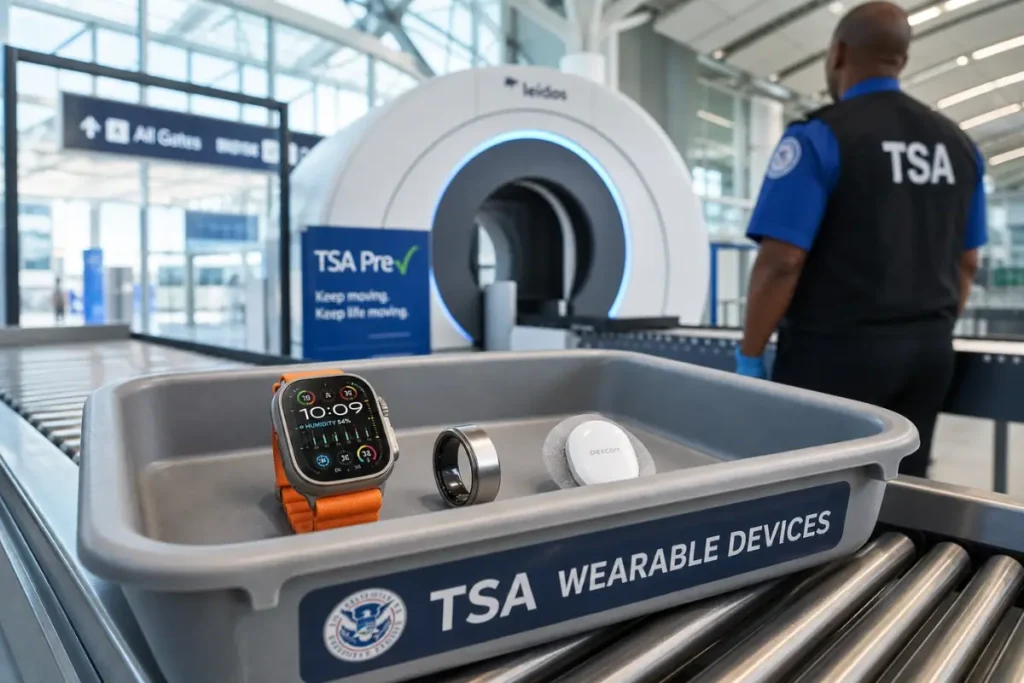
1. Can You Wear a CGM Through TSA Security?
If you or someone you travel with uses a Continuous Glucose Monitor — a Dexcom G7, Abbott FreeStyle Libre 3, or Medtronic Guardian — this is the section to read carefully.
The manufacturer’s recommendation: CGMs should not go through AIT (Advanced Imaging Technology) body scanners or X-ray machines.
This guidance comes directly from the device manufacturers, not TSA. The concern is that radiation from certain scanners can damage sensor electronics and compromise glucose readings — sometimes hours after the fact, when your numbers suddenly look erratic, and you don’t know why.
Medtronic, for example, states on its official support page that if you choose to go through a body scanner, you should remove your insulin pump and CGM first — or request alternate screening to avoid removing the devices at all.
What You Can Do Instead
The good news: according to the TSA’s official disabilities and medical conditions guidance, travelers wearing medical devices like CGMs have the right to request alternate screening — typically a pat-down and visual inspection — instead of going through the body scanner.
This option is available. But in many cases, you need to ask for it before you reach the scanner, not after an alarm fires.
Before you reach the checkpoint, tell the officer:
Im wearing a continuous glucose monitor, and I’d like to request alternate screening.
Pro Tip: TSA offers a free notification card you can print before you travel. You can also call the TSA Cares helpline at 1-855-787-2227 up to 72 hours before your flight to discuss your specific situation and arrange support at the checkpoint.
Also see: New Carry-On Rules in 2026: What Every Traveler Must Know Before They Fly
2. Does Apple Watch Need to Be Removed at TSA?
TSA guidance technically permits you to keep your smartwatch on while going through security. Frequent travelers have done so for years without a second thought.
But airports across the U.S. have been rolling out newer CT-based scanners, and these machines produce more detailed 3D images than older X-ray equipment.
As a result, some travelers — particularly those wearing watches with metal bezels, like the Apple Watch Ultra or Samsung Galaxy Watch — have reported additional screening alerts at checkpoints where this never happened before.
This isn’t a targeted policy. It’s a hardware sensitivity issue that varies by airport and scanner model.
The Practical Fix
At major airports with newer scanning equipment, the safest move is simply to put your watch in the bin before going through. A 10-second step now beats a potential secondary screening later.
If you’re unsure what equipment your airport uses, TSA’s screening checkpoint information has general guidance. When in doubt, bin it.
3. Hearing Aids: What TSA Won’t Always Tell You
The baseline rule here is reassuring: hearing aids do not need to be removed at TSA security checkpoints. You can wear them through screening.
However, travelers wearing Bluetooth-enabled hearing aids should be aware that in some cases, screening equipment can flag electronic devices during a scan. If that happens, you may be directed to additional screening, which is inconvenient but straightforward.
A Simple Step That Reduces Hassle
TSA recommends that travelers with medical devices inform the screening officer before the process begins. Carrying a medical alert card and mentioning your hearing aids proactively can help the officer route you through screening more smoothly.
For additional support, TSA’s Passenger Support Specialists (PSS) are available at most checkpoints. Any traveler can request one by asking a checkpoint officer or supervisor. You can also arrange support in advance through TSA Cares.
4. Are Smart Rings Allowed Through TSA Security?
Smart rings — devices like the Oura Ring or Samsung Galaxy Ring — contain both lithium-ion batteries and metal components. In most cases, they pass through traditional walk-through metal detectors without any issue.
On newer CT scanners, though, some travelers have reported additional screening when wearing a smart ring, particularly larger models. Because TSA has not issued a specific, published policy for smart rings, there’s no standardized response — individual officers use their own judgment, which can vary from checkpoint to checkpoint.
The Safest Approach
Declare it proactively. Before reaching the scanner, tell the officer you’re wearing a ring that contains a small lithium battery. Two seconds of communication removes ambiguity and keeps the process moving.
5. Smart Glasses: An Evolving Policy Problem
Devices like Ray-Ban Meta smart glasses sit in genuine gray-area territory at TSA checkpoints right now, and for a specific reason.
TSA policy discourages photography at security checkpoints. Smart glasses with cameras complicate that policy, and airports are handling it differently. Some are asking passengers to power off smart glasses before entering the screening area.
Here’s what’s worth knowing: TSA agents can ask you to stop recording, but the agency does not have a blanket policy to confiscate wearable cameras.
Powering your glasses off before the checkpoint is the simplest way to avoid any friction. If you’re unsure about the current rules at a specific airport, calling TSA Cares in advance is a good option.
6. Fitness Trackers: A Few Things Worth Knowing
Standard fitness trackers — your Fitbit, Garmin, Whoop, or similar — are permitted through TSA security. No rule prevents you from wearing them.
That said, there are a couple of practical things to keep in mind:
Larger or bulkier tracker bands may occasionally trigger additional attention on newer scanning equipment, particularly if stacked with other metal items on the same wrist. If you’re wearing multiple wrist devices, consider placing them in the bin rather than wearing them through.
Bluetooth Earbuds & Headphones at TSA: Standard Bluetooth earbuds and headphones — AirPods, Galaxy Buds, Sony WH-1000XM series, and similar models — do not need to be removed at TSA checkpoints. There is no official TSA rule requiring removal.
That said, a few things are worth knowing: Large over-ear headphones with metal components may
occasionally trigger a metal detector alarm, especially models with metal headbands or hinges.
If a TSA officer asks you to remove them, do so promptly — delayed compliance can lead to additional screening, not because of the headphones themselves, but because of the delay in following instructions.
Wearing earbuds through a body scanner is generally fine, since they contain small components similar to hearing aids. If you’re unsure, simply place them in the tray with your other electronics as a precaution.
7. Turn Off Apple Watch Fall Detection Before Airport Security
This one is genuinely underreported.
Apple Watch Series 8, 9, and Ultra models feature fall detection that uses motion sensors to identify sudden impact or a hard fall. This is a useful safety feature — but it creates a specific problem at the security checkpoint.
When a watch gets tossed into a plastic bin, slid along a conveyor belt, or jostled between other items, the motion sensor can potentially misread that movement.
Some Apple Watch users have reported accidental emergency SOS or fall detection triggers in exactly this kind of situation.
If fall detection fires and your watch calls emergency services without you noticing, you may find a 911 dispatcher calling you back at your gate.
The Fix — Under 30 Seconds
Before placing your watch in the bin:
- Open Settings
- Tap Emergency SOS
- Turn off Fall Detection temporarily
Turn it back on after you’re through security. Apple’s own support pages confirm this setting can be toggled freely.
8. Power Banks and Lithium Battery Rules in 2026
This is where regulation and real-world enforcement have tightened most noticeably in the past 12 months.
What the FAA Rules Say
The FAA’s PackSafe guidance is clear and has been consistent: spare lithium batteries, including power banks and portable chargers, must be carried in carry-on baggage only — never checked luggage. This rule applies regardless of the battery’s size, as long as it’s under 100Wh.
The reasoning: if a lithium battery overheats and goes into thermal runaway in a cargo hold, crews have no way to respond. In the cabin, they do.
Airline-Level Enforcement Is Tightening
Beyond the FAA baseline, individual airlines have been updating their own policies. American Airlines, for example, updated its restricted items policy in May 2026 with a two-power-bank cap per passenger for banks under 100Wh.
Other major carriers — Delta, United, Southwest — currently operate under the older FAA framework but may update their own policies. Check your carrier’s current rules before you fly.
| Battery Size | Rule |
|---|---|
| Under 100Wh | Carry-on only; no airline approval needed |
| 101–160Wh | Carry-on only; airline approval required; max 2 spare |
| Over 160Wh | Not permitted (except approved mobility devices up to 300Wh) |
| In checked luggage | Never permitted (spare/uninstalled batteries) |
Pro Tip: If you’re gate-checking your carry-on, you must remove your power bank and keep it with you in the cabin. This applies every single time. Agents will ask, and if you don’t comply, the bank stays behind.
9. Do Insulin Pumps Need to Be Removed at TSA?
Insulin pumps — including the Omnipod 5, Tandem t: slim X2, and Medtronic MiniMed 780G — fall under similar guidance as CGMs when it comes to airport scanners.
Medtronic’s official travel guidance states that if you choose to go through a body scanner, you must remove your pump first. To avoid that, you can request alternate screening.
The American Diabetes Association also confirms that travelers using insulin pumps and CGMs have the right to decide whether to go through an AIT scanner or to request a pat-down. TSA does not have a blanket policy that applies identically to every device — it depends on the specific pump and manufacturer guidance.
What has added complexity recently is the rise of combination CGM-and-pump systems. If you’re managing both a CGM and a pump, you may have two separate manufacturer recommendations to juggle. It’s worth calling TSA Cares before your trip to prepare.
What to Do
- Before the checkpoint, inform the TSA officer that you’re wearing an insulin pump and/or CGM.
- If your manufacturer recommends avoiding AIT scanners, request alternate screening in advance.
- Carry documentation — a medical card, prescription copy, or manufacturer letter — to support your request.
- Per the TSA’s own guidance, you will not be required to remove medical devices attached to your body, but additional screening (including a self-pat-down of the device area and hand swab) may still be required
Common Mistakes Travelers Make at Security
Even seasoned travelers make these errors. Here’s what to watch for.
Waiting until the scanner mentions a medical device. Alternate screening for CGMs and insulin pumps needs to be requested before you reach the AIT scanner, not after an alert fires. Get ahead of it.
Not knowing that you can request alternate screening. Many travelers assume they have to go through whatever scanner TSA directs them to. You don’t — especially for medical devices. You have the right to request a pat-down instead of an AIT scanner.
Leaving power banks in checked luggage. This is the most consistently enforced rule at TSA checkpoints. Power banks in checked bags will be removed every time. Put them in your carry-on before you leave home.
Not removing a power bank before gate-checking a bag. If the gate agent asks you to check a carry-on at the last minute, you must pull your power bank out first. This applies even if it’s buried at the bottom of the bag.
Forgetting about fall detection on the Apple Watch. Disabling it before placing your watch in a bin takes less than 30 seconds and avoids a potential emergency services call.
Assuming agents will recognize your device. TSA officers screen thousands of people a day. They may not recognize a CGM, insulin pump, or smart ring at first sight. Be the one who introduces and explains it — calmly and proactively.
Quick Reference: Wearable Devices at TSA Checkpoints
Quick Reference: Wearable Devices at TSA Checkpoints
| Device | Can Wear Through AIT Scanner? | Recommended Action |
|---|---|---|
| CGM (Dexcom, Libre, Medtronic) | ⚠️ Manufacturer advises against it | Request alternate screening before checkpoint |
| Insulin pump | ⚠️ Manufacturer advises against it | Declare proactively before the scanner |
| Apple Watch / Galaxy Watch | ✅ Permitted, but varies by scanner | Bin it proactively at major airports |
| Hearing aid | ✅ Yes | Notify officer beforehand; carry medical card |
| Smart ring | ⚠️ No specific rule; individual judgment | Power off before the checkpoint |
| Fitbit / Garmin / Whoop | ✅ Yes | No special steps required |
| Smart glasses | ⚠️ Depends on the airport | Power off before the checkpoint |
| Bluetooth earbuds / headphones | ✅ Yes | Remove promptly if officer asks |
| Power bank | ✅ Carry-on only | Never in checked bag; remove if gate-checking |
FAQ – New TSA Rules for Wearable Devices in 2026
Can I Wear my Apple Watch Through TSA Security?
TSA guidance permits it. However, newer CT scanners at major airports are more sensitive, and some travelers wearing watches with metal bezels — like the Apple Watch Ultra — have reported additional screening. Putting your watch in the bin proactively is the simplest way to avoid delays.
Do CGMs need to be removed at airport security?
No, you won’t be asked to remove them. But device manufacturers, including Medtronic, Dexcom, and Abbott, recommend not sending CGMs through AIT body scanners or X-ray machines. You have the right to request a pat-down as an alternate screening instead. Tell the officer before you reach the scanner.
Can I Request a Pat-Down Instead of Going Through the Body Scanner?
Yes. According to TSA’s own policy, travelers have the right to request alternate screening. For medical devices, notify the officer before the screening process begins.
What are the FAA Rules for Power Banks in 2026?
Per the FAA’s PackSafe guidance, spare lithium batteries and power banks must be in carry-on baggage only — never checked. Banks must be under 100Wh unless you have airline approval (101–160Wh requires it; over 160Wh is not permitted). Some airlines, including American Airlines, have added a two-power-bank cap per passenger as of May 2026. Check your carrier’s current policy.
Are Smart Rings Allowed Through TSA?
Yes, but there’s no specific TSA rule covering them. Some travelers report additional screening with larger smart rings on newer CT scanners. Declaring your ring proactively to the agent before scanning is the safest move.
Can TSA confiscate my smart glasses?
TSA can ask you to stop recording at the checkpoint, but does not have a published policy authorizing confiscation of smart glasses simply for wearing them. However, some airports are asking passengers to power off camera-enabled glasses before screening. Doing so proactively avoids any friction.
What Should I Say to TSA if I’m Wearing a CGM or Insulin Pump?
Before reaching the scanner, tell the officer: “I’m wearing a continuous glucose monitor / insulin pump and I’d like to request alternate screening.” This is the language that triggers the correct protocol. You can also call TSA Cares at 1-855-787-2227 up to 72 hours before your flight to arrange support in advance.
What is TSA Cares?
TSA Cares is a free helpline (1-855-787-2227) designed for travelers with disabilities, medical conditions, or special circumstances. You can call up to 72 hours before your flight to ask questions about screening and arrange assistance at the checkpoint. Hours are Monday–Friday 8am–11pm ET, and weekends/holidays 9am–11pm ET.
Will airport security scanners damage my watch?
No. You don’t need to worry about airport security scanners damaging your watch. Whether you’re wearing a mechanical watch, a quartz model, a solar-powered watch, or a smartwatch, it’s safe to go through standard airport screening. Walk-through metal detectors, body scanners, and X-ray machines used for carry-on bags are designed to be safe for everyday electronics and watches. If a security officer asks you to remove your watch, simply place it in the security tray before it goes through the X-ray scanner.
Final Verdict
Airport security in 2026 is more sophisticated — and in some places less predictable — than it’s ever been. Newer CT scanners are more sensitive. Airline-level battery enforcement is tightening. And medical wearables are more common than ever, which means more encounters with a system that doesn’t always have a clear, uniform answer for every device.
The good news is that almost every friction point on this list is avoidable with a little preparation.
For medical device users: know your rights. You can request alternate screening for CGMs and insulin pumps. You don’t have to go through an AIT scanner. Call TSA Cares if you have questions before you fly.
For smartwatch and tracker wearers: bin it at major airports to be safe. Disable fall detection before placing the Apple Watch in a bin. Turn off Bluetooth if you want to keep things simple.
For everyone: put power banks in your carry-on, always. And if you’re gate-checking, pull the bank out first.
A few minutes of preparation before you get to the airport makes every rule on this list manageable.
Also Read-
